Artificial intelligence has turned the traditional design workflow on its head. For many creators the hurdle isn’t a lack of ideas but the technical “wall” of complex software or high-end hardware requirements. getimg.ai effectively tears down that wall.
What is GetImg AI? GetImg AI is an all-in-one artificial intelligence platform that transforms text descriptions into professional images, videos and edited visuals in seconds using advanced Stable Diffusion technology. No design experience required just type what you want and the AI creates it instantly with over 80 specialized models for different artistic styles.
This guide shows you exactly how to generate custom visuals for blogs, social media, presentations and marketing materials in under 5 minutes plus the insider strategies that separate beginners from creators who understand how AI image generation actually works.
Quick Reference: GetImg AI Generation Cheat Sheet
| Content Type | Dimensions | Best Model (2025) | Pro Tip |
| Blog Featured Image | 1200×630 | Flux.2 Pro | Add “editorial photography style” |
| Instagram Post | 1080×1080 | RealVisXL V4 | Use “soft shadow product photography” |
| YouTube Thumbnail | 1280×720 | Flux.2 Pro | Add “high contrast bold composition” |
| Pinterest Pin | 1000×1500 | DreamShaper XL | Use “vertical composition clear focal point” |
| LinkedIn Header | 1584×396 | RealVisXL V4 | Keep subject aligned right, text space left |
| Instagram Reel Cover | 1080×1920 | Hailuo AI (video) | Use “subtle parallax motion” |
| Email Newsletter Header | 600×200 | Flux.2 Dev | Add “clean background centered subject” |
| Twitter/X Card | 1200×675 | Flux.2 Pro | Use “bold colors, simple composition” |
Bookmark this table. You’ll reference it constantly.
Why Content Creators Are Switching to GetImg AI in 2025
Traditional design workflows eat time you don’t have. Between writing, scheduling and promoting spending 2 hours on Photoshop for one graphic makes zero sense. GetImg AI solves three problems content creators face daily:
Speed Wins in the Attention Economy
While Midjourney requires Discord navigation and DALL-E hides behind ChatGPT Plus at $20/month GetImg AI generates four variations in under 10 seconds through a simple web interface. Create blog featured images, social posts and email headers in minutes not hours.
Real-world test: I generated 12 Instagram carousel images for a product launch in 4 minutes. My designer quoted $180 and 2 days turnaround for the same deliverable.
Consistency Builds Brand Recognition
Train a custom model on your existing brand visuals and every new image matches your style automatically. Your audience recognizes your content before reading the headline.
Budget-Friendly Scaling Changes Everything
Free users get 100 monthly images enough for weekly blog posts with multiple social media variations. The $12 basic plan delivers 3,000 images monthly. That’s enough for daily content across all platforms for under 50 cents per day.
Why This Matters: According to recent platform testing, GetImg AI’s Flux.2 model creates more human-like images than competitors, which matters for lifestyle blogs, personal branding and behind-the-scenes content. When viewers can’t tell your image was AI-generated they engage without hesitation.
The platform supports commercial use on paid plans meaning you legally own every asset generated for client projects course materials and product marketing. No attribution required no licensing headaches later.
How Does GetImg AI Actually Work?
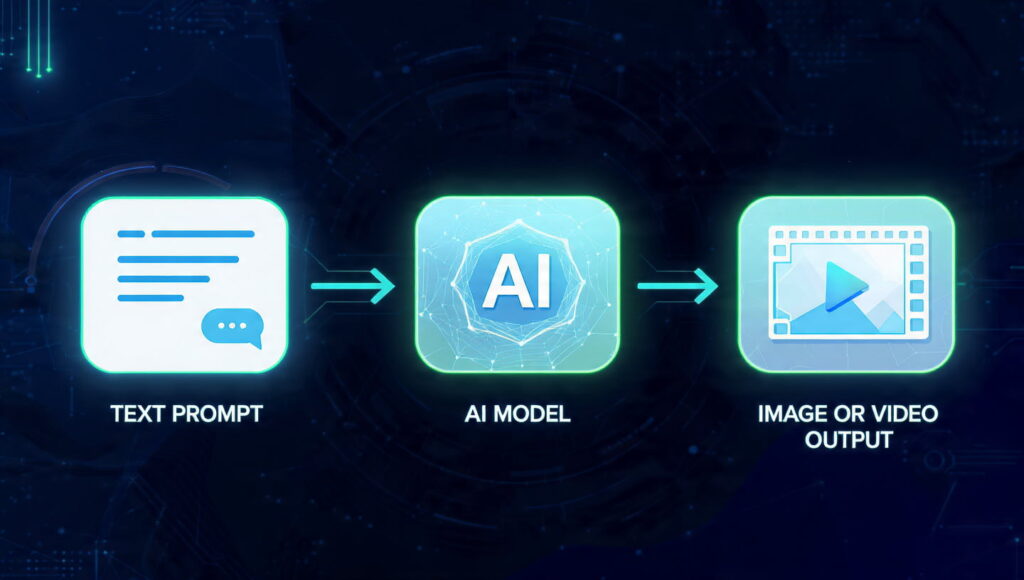
Think of GetImg AI as having 80+ specialized artists on standby. Each AI model was trained on millions of images in specific styles:photorealism, anime, 3D renders, artistic paintings. You describe what you want pick which “artist” should create it, and receive professional results without explaining composition, lighting, or color theory.
The Technology Behind It
Stable Diffusion models use diffusion algorithms that start with random noise and gradually refine it based on your text prompt. The latest Flux.2 Pro model (2025) understands complex instructions like “cinematic product shot on marble surface, soft window lighting, minimalist composition, shallow depth of field”—and delivers exactly that.
2025 Update: GetImg AI now supports Real-Time Canvas for instant preview adjustments and Flux.2 Dev for faster iterations on commercial projects. These features weren’t available in earlier Flux 1.x versions.
Five Essential Tools in One Workspace
Text to Image Generator → Creates original visuals from descriptions
AI Editor → Modifies existing images using text commands
Image to Video → Animates static images into 4-second clips
Video Generator → Produces 5-second videos from text alone
DreamBooth Model Trainer → Creates custom AI models trained on your specific style
You work in a browser. No downloads, no software updates, no compatibility issues across devices. Generate on your desktop edit on your tablet download finals on your phone.
What Makes GetImg AI Different from Other AI Image Generators?
Most reviews compare features, but here’s what actually matters when you’re creating daily:
| Feature | GetImg AI | Midjourney | DALL-E 3 | Leonardo AI |
| Free monthly images | 100 | 0 | 0 | 150 |
| Generation speed | 2-10 seconds | 30-60 seconds | 15-30 seconds | 10-20 seconds |
| Custom model training | ✅ DreamBooth | ❌ | ❌ | ✅ Alchemy |
| Image to video | ✅ Yes | ❌ | ❌ | ❌ |
| Real-Time Canvas | ✅ Yes (2025) | ❌ | ❌ | Limited |
| Interface | Web dashboard | Discord commands | ChatGPT interface | Web dashboard |
| Latest model | Flux.2 Pro | v6.1 | DALL-E 3 | Phoenix |
| Best use case | High-volume content | Professional art | Quick generations | Game assets |
Three Advantages Nobody Talks About
1. Fixed Credit Costs Prevent Surprise Bills
Each generation uses exactly one credit regardless of settings. Leonardo AI varies credit costs by feature making budgeting impossible.
2. No Prompt Engineering Required in Auto Mode
Type “coffee shop interior,” and the AI automatically adds technical details like “warm ambient lighting, cozy atmosphere high resolution.” Competitors require you to learn prompt syntax first.
3. Instant Model Switching
Test the same prompt across five different AI models in 30 seconds to find which style performs best. Other platforms lock you into one model per subscription tier.
Step-by-Step: Creating Your First Professional Image with GetImg AI
Let’s walk through generating a featured image for a blog post titled “10 Productivity Hacks for Remote Workers.”
Step 1: Sign Up and Navigate to Content Generator
Visit getimg.ai and click “Get Started for free.” Use your Google account for instant access to email verification delays. You start with 100 free credits immediately.
Click “Content Generator” in the left sidebar. This is your main workspace for text-to-image creation. The Content Generator automatically selects the best AI model for your prompt unless you want manual control. Beginners save hours avoiding wrong model choices.
Common pitfall: Don’t start in “AI Editor.” That’s for modifying existing images not creating new ones from scratch.
Step 2: Write Your Image Prompt
In the prompt field, describe your image in detail:
“Modern home office workspace laptop and coffee on wooden desk natural window lighting plants in background professional photography style warm tones shallow depth of field, 4K quality”
Add negative prompts to avoid unwanted elements:
blurry, low quality, cluttered, messy, dark, distorted, watermark, text overlay
Specific prompts generate consistent results. Vague prompts like “office photo” produce random, unusable variations. Don’t describe text you want in the image. GetImg AI generates placeholder gibberish instead of readable words. Add text overlays later in Canva or Photoshop.
Step 3: Configure Generation Settings
Choose your model based on your content type:
- Photorealistic images → Flux.2 Pro or RealVisXL V4
- Stylized illustrations → DreamShaper XL or AnimagineXL
- Product photography → RealVisXL V4 with “studio lighting” prompt
- Editorial/lifestyle → Flux.2 Dev for faster iterations
Set dimensions based on your use case (refer to cheat sheet above).
Generate 4 variations at once. This costs 4 credits but gives you options to test which visual performs best.
GetImg AI can generate more than 60 kinds of pictures using different models, but content marketing requires photorealistic or high-contrast styles to compete in feeds. Don’t use anime models for professional content unless your brand is entertainment-focused. Style consistency matters more than artistic experimentation.
Step 4: Review and Refine Your Results
GetImg AI delivers four images in 6-10 seconds. Click any image to view full-size. If none are perfect modify your prompt instead of regenerating blindly.
Quick Fixes:
| Issue | Solution |
| Too dark | Add “bright natural lighting, well-lit” |
| Wrong mood | Change “modern” to “cozy” or “minimalist” |
| Busy background | Add “simple background, clean composition” |
| Wrong angle | Specify “overhead view” or “eye-level shot” |
| Colors off-brand | Add “muted tones” or “vibrant colors” |
Click “Generate” again with your refined prompt. Each iteration teaches you which words produce desired effects.
Learning prompt vocabulary is faster than learning Photoshop. After 5-10 generations, you’ll instinctively know which words create specific visual results.
Step 5: Download and Customize
Right-click your chosen image and select “Save Image.” The file downloads in PNG format at your specified resolution.
Open the image in Canva Free, Photoshop or even PowerPoint. Add your headline, logo or brand colors as needed. Export and publish to your platform.
Tip: Don’t upload raw AI-generated images without any customization. Even perfect visuals need your brand touch to stand out.
Quick Win Box
Want instant results? Use GetImg AI’s Image to Video feature to animate your static image into a 4-second clip for Instagram Reels, TikTok or LinkedIn videos. Upload the same visual across platforms for consistent multi-channel branding. Total time: 90 seconds.
Advanced Strategy: Training Custom Models for Brand Consistency
Here’s the insider technique that amateur creators miss: DreamBooth model training creates AI that generates images in your specific visual style.
The Process
- Upload 5-10 of your best-performing brand images
- GetImg AI analyzes composition patterns, color palettes, lighting choices and subject positioning
- The trained model generates new images that look like they came from the same designer
This costs 2 DreamBooth trainings on the $12 Basic plan. Other platforms charge upwards of $30 for training a single custom model.
Real Application
A wellness blogger trains a model on brand photos featuring soft pastels, natural lighting and minimalist compositions. Every new blog post gets three custom image variations in 30 seconds no Photoshop needed perfect style match every time.
The Nuance Nobody Explains
Your training images must be visually similar. Mixing bright photos with dark photos creates a confused model that generates inconsistent results.
Best practice: Standardize these elements before training:
- Lighting style (natural vs. studio)
- Color palette (warm vs. cool tones)
- Composition type (centered vs. rule of thirds)
- Subject distance (close-up vs. wide shot)
How to Use GetImg AI’s AI Editor (Visual Explanation)
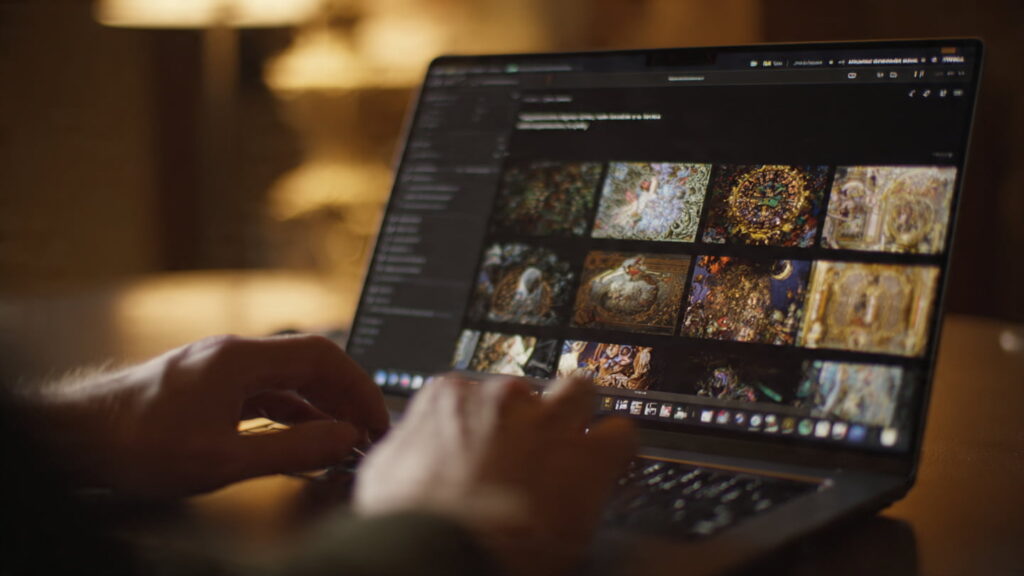
You’ve generated a perfect image except the subject is slightly off-center. The AI Editor fixes this without starting over.
The Inpainting Process (Visual Guide)
Step 1: Upload Image Step 2: Mask Area Step 3: Generate Fix
┌─────────────────┐ ┌─────────────────┐ ┌─────────────────┐
│ │ │ [MASKED AREA] │ │ │
│ ● Subject │ → │ ░░░░░░░░░ │ → │ ● Subject │
│ (off-center)│ │ ░░░░░░░░░ │ │ (centered) │
│ │ │ │ │ │
└─────────────────┘ └─────────────────┘ └─────────────────┘
How it works:
- Upload your generated image into the AI Editor
- Brush over the area needing adjustment (the masked region)
- Write a prompt: “extend composition to center subject, match existing lighting and style”
- Generate – The AI fills masked areas seamlessly, blending with existing content
Three Practical Editing Scenarios
| Scenario | How to Mask | Example Prompt |
| Background replacement | Mask everything except your subject | “replace background with [mountain landscape]” |
| Object removal | Mask unwanted elements | Leave prompt empty for intelligent fill |
| Style transfer | Mask entire image | “convert to watercolor painting style while preserving subject” |
The Editor works on any image your own photos, stock images or AI-generated content. This flexibility means you’re never locked into purely AI workflows when real photography serves your needs better.
GetImg AI’s Video Features: Turn Static Images into Dynamic Content
Static images work for blogs. Animated versions dominate Instagram Reels, TikTok and Youtube video content.
How Image to Video Works
- Upload your finished image
- Add a motion prompt: “slow zoom in on subject, subtle parallax effect”
- Generate a 4-second video clip using Hailuo AI or Google Veo 3 models
Hailuo AI keeps subjects sharp and movement smooth, making it a go-to for professional-looking content.
Strategic Workflow for Maximum Reach
1. Generate image (10 sec)
↓
2. Animate with Image to Video (30 sec)
↓
3. Add text overlay in CapCut (2 min)
↓
4. Upload to 5 platforms simultaneously
• Instagram Reels
• TikTok
Pinterest Idea Pins
Twitter/X
Time investment: Under 5 minutes total
Alternative approach: Creating platform-specific content individually takes 2-3 hours per platform.
Troubleshooting Common GetImg AI Issues
Generated Faces Look Distorted or Unrealistic
Solution: Use the Flux.2 Pro model specifically trained for accurate human features. Flux.2 is superior in the category of photorealism and creates more human-like images compared to older Stable Diffusion models.
Backup approach: Generate the image then use the AI Editor to mask just the face area. Prompt: “photorealistic human face, detailed skin texture, natural expression”.
Images Contain Random Text or Gibberish Letters
Explanation: AI models struggle with text generation. They understand language but can’t spell correctly in generated images.
Solution: Always add text manually in post-production using Canva, Photoshop or PowerPoint. Position text over less-busy areas for readability.
2026 Note: Flux.2 offers improved text integration compared to Flux 1.x but still isn’t 100% reliable for critical copy.
Free Plan Runs Out of Credits Too Quickly
Solution: Maximize free credits by generating fewer variations per prompt. Instead of 4 simultaneous generations (4 credits) generate 1-2 variations (1-2 credits) and refine your prompt based on results.
Earn extra credits: Refer other creators using your unique referral link. Each signup grants bonus credits.
GetImg AI Pricing Breakdown for Content Creators
| Plan | Price | Monthly Images | Key Features | Best For |
| Free | $0 | 100 | All 80+ models, 1024×1024 max, personal use only | Testing, hobby blogs |
| Basic | $12 | 3,000 | Commercial license, 2 DreamBooth models, 2048×2048 max | Solopreneurs, active bloggers |
| Starter | $29 | 12,000 | 5 custom models, video generation, all features | Agencies, course creators |
Credit Cost Breakdown
- Text to Image: 1 credit per image
- AI Editor modification: 1 credit per edit
- Image to Video (4 sec): 10 credits
- DreamBooth training: 500 credits (included in plan allowance)
Strategic budget consideration: If you’re generating 20 images monthly (4 per week), the free plan suffices. Add social media variations and video animations, and you’ll need the Basic plan.
Take Action: Your First GetImg AI Image in 5 Minutes
You’ve read the guide. Now it’s time to create something real.
Your Immediate Next Steps:
- Visit getimg.ai and sign up using your Google account (30 seconds)
- Click “Content Generator” in the left sidebar
Type this exact prompt:
Modern coffee shop interior, warm ambient lighting, wooden furniture, plants, cozy atmosphere, professional photography, 4K quality
- Select Flux.2 Pro model, set dimensions to 1200×630, generate 2 variations
- Wait 10 seconds, download your favorite result
You now have a custom image that cost $0 and took 5 minutes total.
Compare this to:
- Hiring a designer: $25-50 per image, 2-3 days turnaround
- Creating in Photoshop: 2 hours of work
Next-Level Challenge
Generate three image variations for your next blog post or social media campaign. Test all three in your content to see which generates the highest engagement over 7 days. Use that style as your template for future prompts.
The creators winning online right now aren’t the ones with the biggest budgets—they’re the ones who ship content faster using tools like GetImg AI to eliminate bottlenecks.
Your first custom image is 5 minutes away. What are you waiting for?
Frequently Asked Questions
Are My Uploaded Images Safe with GetImg AI?
Yes. Your reference images and creations stay private. GetImg AI does not use them to train other models without your permission, and strong security measures protect all uploads.
Who Actually Owns the AI-Generated Images?
You do. On paid plans, all images are fully yours to use commercially—no attribution to GetImg AI required. The platform uses an open license (CreativeML Open RAIL-M) to ensure you keep full rights.
Can I Update or Modify a Generated Image Later?
Absolutely. GetImg AI’s AI Editor lets you tweak composition, replace backgrounds remove objects or apply style transfers without starting from scratch.
Can I Work on Multiple Devices Seamlessly?
Yes. The platform is browser-based. You can generate on desktop, refine on tablet and download on mobile all without compatibility issues or software installs.
Can I Use GetImg AI for Client Projects or Freelance Work?
Yes, but only on paid plans. You can create content for clients, courses, digital products and social campaigns with full commercial rights making it freelancer-friendly.
How Can I Keep My Brand Visuals Consistent?
Use DreamBooth model training to upload a set of your brand images. GetImg AI will learn your style and generate new visuals that match your brand palette, composition and tone automatically.


3 Comments